Step 1
Find your tournament
- Search by event name or city, or pick a state.
- Near me shows events within 100 miles.
- Past shows the last two weeks of results.
Events marked Today (or already over) open their live page. Upcoming ones open on FloWrestling.

Step 2
Brackets
Tap a weight to open its bracket. Swipe sideways through the rounds, or tap a round name to jump. ‹ › moves between weights.
Bouts show the result, the winner in bold, and ▶ Video when there is some. The event page also links to Mats, Teams, and Team scores.
During an event, pages refresh themselves every 30 seconds. Updated at the top shows when.

Step 3
Star your wrestlers, follow your team
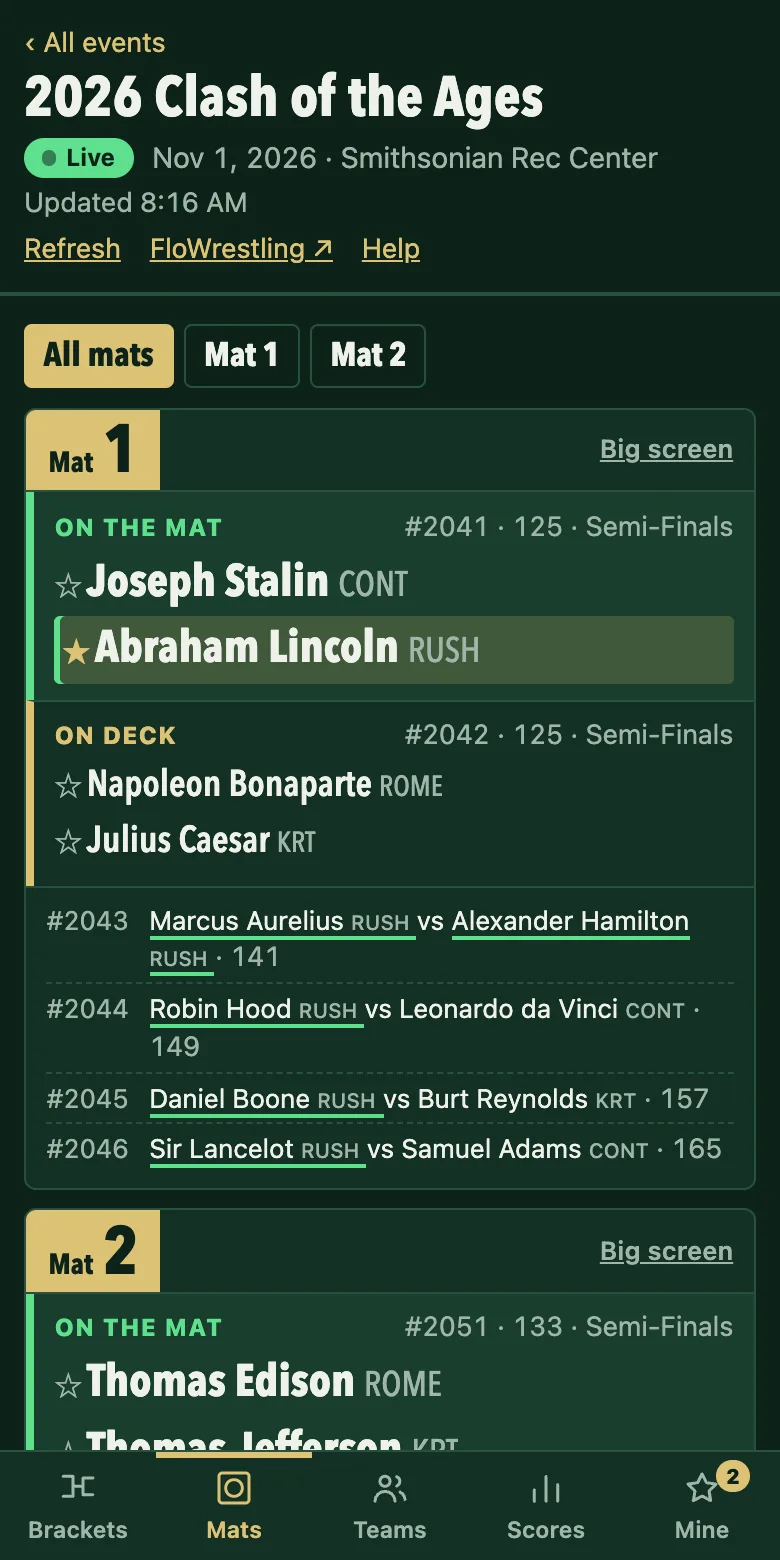
Tap ☆ next to any name, in a bracket, a search result, or on the mat board. Starred wrestlers are highlighted ★ everywhere.
- Search on the event page finds anyone by name or team. Tap a result for their bouts and results.
- Follow team (open Teams, pick yours) marks the whole team with a green bar.

Step 4
My wrestlers
★ My wrestlers shows just your wrestlers and where they are right now:
- ON MAT wrestling now; head to that mat
- ON DECK up next on that mat
- Next the next bout number and mat
Share with family: tap Share my wrestlers and text the link. They tap ★ Save to this phone and see the same wrestlers.

Step 5
The mat board
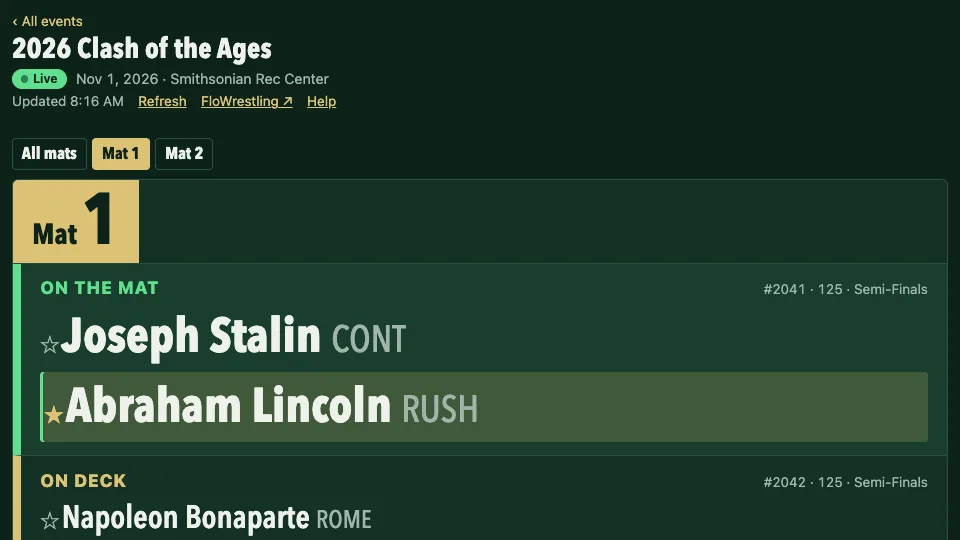
Mats shows every mat at once: ON THE MAT, ON DECK, and the next bouts in line. Your wrestlers and team stand out.
Running a table? Tap Big screen on a mat for huge text on a TV or tablet.
Step 6
Alerts on your phone
On ★ My wrestlers or a team page, tap 🔔 Get alerts on this phone. You'll be notified when a wrestler gets a mat, is on deck, is on the mat, and when they win or lose.
iPhone: first add the site to your Home Screen (Share ⬆︎ → Add to Home Screen), open it from there, then tap Get alerts. Android: works right in Chrome.

Questions
Do I need an account or an app?
No. It's a website that works in any phone browser.
Where are my stars saved?
On this phone, per event. Use Share my wrestlers to copy them to another phone.
What if the gym Wi-Fi is bad?
Pages are tiny, and any page you've opened stays readable offline, with a note showing how old it is.
How up to date is it?
Data comes from FloWrestling and is checked about every 20 seconds during an event.
My event says brackets haven't been published.
They appear once the director publishes them, usually the night before or that morning.
How do I stop alerts?
Tap the alerts button again. They also stop on their own a few days after the event.